


Words with EZ Cheats
3.849.00 Reviews
App Specs
- Version
- 7.5.0
- Updated On
- License
- Free
- Downloads
- 10,000+
- Developer
- Games Extras
- Categories
- Word
- Platform
- Android
Screenshots
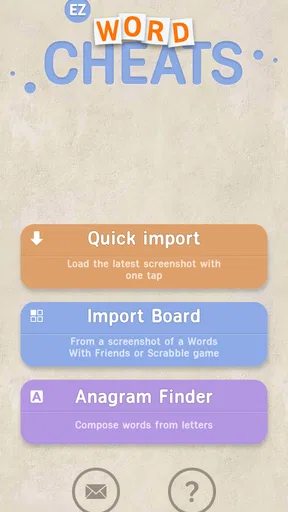
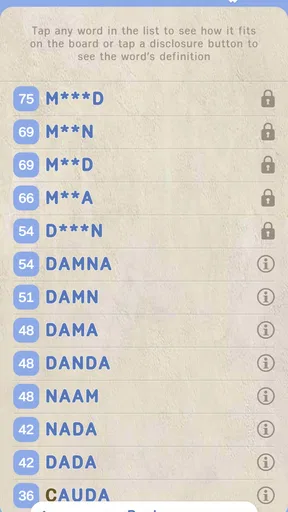
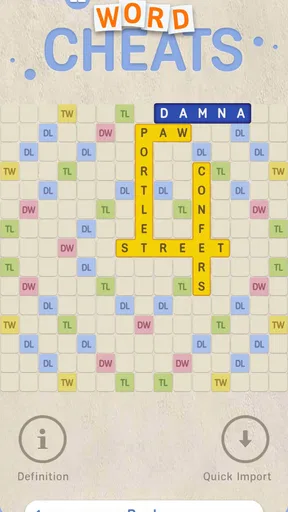
 Analysis by AppCompare
I approached Words with EZ Cheats as a practical word-game companion rather than as a game I would play for its own sake. Its store summary, “OCR Cheat for WWF,” points to a very specific job: helping a player read a word board from an image and look for useful possibilities. That narrow purpose is also the reason to consider it carefully. It is not a replacement for a full dictionary, a general word puzzle collection, or the normal satisfaction of solving a board unaided.
In my experience, the best way to use it is as a repeatable aid during a difficult turn. I first look at the board, decide whether I genuinely need help, capture or provide the relevant screen image, and then treat the suggestions as candidates rather than automatic answers. That small change in attitude matters. The tool becomes more useful when I still check the board, the available letters, and the rules of the match instead of accepting the first result without thinking.
This is a free word game utility from Games Extras, rated for Everyone. It has attracted over 10K installs and holds a 3.8 average from around 222 ratings, so it has a modest but visible user base rather than the reach of a mainstream puzzle title. It was released on January 11, 2023, and the current version is 7.5.0, with Android 8.0 or later required. Those details make it accessible to many older Android phones, although the actual experience still depends on how clearly the board can be read.
How I use it without turning every move into guesswork
I use the helper most carefully when a position is genuinely awkward, not as a routine for every turn. That keeps the search focused: I can compare a few plausible moves, learn what I overlooked, and still make the final call myself. Next, I’d look at how the app’s current version fits into its history and what that means for someone returning to it.
A sensible baseline workflow
The most reliable routine starts before opening the helper. I make sure the entire game board is visible, avoid cropping out the rack or important tiles, and check that the text is sharp enough for optical character recognition. OCR is only as good as the image it receives. A glare spot, a notification covering part of the board, or a slightly blurred screenshot can turn a correct layout into a misleading one.
Once the image is ready, I use the result as a second opinion. I compare the detected letters with what I can see myself and look for obvious recognition errors. This is one of the most important practical habits with an OCR-based tool: do not assume that a neat-looking answer means the input was understood correctly. A single misread tile can change the entire set of possible words.
My next step is to narrow the suggestions by usefulness. A long list of playable words is not automatically a good list of moves. I look for options that fit the open spaces, use the letters I actually have, and make sense for the current position. If the game rewards board placement, I also consider whether the word reaches a valuable square or creates an easy opportunity for the opponent. The helper can identify language possibilities, but I still have to make the strategic decision.
Worth Reading Before You Choose

EA SPORTS FC Mobile 26 Is a Bigger Football Game, but It Takes Time

Flipboard Shows What News Apps Must Do Beyond the Feed

Switching to Android Auto Means Rethinking Your Driving Routine

Google Calendar Makes a Crowded Week Easier to Manage

Ludo King Makes the Most of the Minutes Between Plans

Baby Panda World Brings Quick Play to Modern Phones, but Its Game Library Feels Busy
A realistic everyday scenario is a late-evening match where I have one awkward rack and several open lanes on the board. Instead of repeatedly trying random combinations, I capture the position, inspect the detected letters, and use the suggestions to notice a short word that connects with an existing tile. I then verify the placement manually before playing it. That workflow saves time while keeping me involved in the move.
Why the image step deserves more attention
Many users will probably focus on the word results and underestimate the capture itself. In practice, the image is the first possible failure point. I get better results when the board is shown at a readable size, the phone is held steady, and the screen is free from overlays. If the game interface uses small lettering, zooming the relevant area before capturing can be more useful than repeatedly submitting the same unclear picture.
I also recommend taking a fresh image after any board change. Reusing an old capture is an easy way to analyze the wrong position, especially during a fast match. This sounds obvious, but it is exactly the kind of small mistake that makes a word helper seem unreliable when the real problem is stale input.
The strongest habit is to verify the board before trusting the answer. I check the rack, the open squares, and any special placement requirement myself. This protects against both OCR mistakes and false confidence. It also makes the app more useful for learning because I can see why a suggested word fits instead of treating the result as a button that solves everything.
Settings and phone preparation worth checking
There is no reason to overcomplicate the setup. Before relying on the app during a match, I would check the phone’s display and camera or screenshot workflow, make sure the game board is not being obscured, and confirm that text remains readable at the chosen screen size. On an older Android device, closing unnecessary apps may also make the switching process feel less cramped, even though the utility itself is designed for Android 8.0 and newer.
The useful “settings” here are often practical rather than mysterious in-app controls. I pay attention to screen brightness, orientation, and whether the game is being viewed in a layout that leaves enough room for a complete capture. A dark theme, a bright reflection, or an unusual zoom level can affect what OCR sees. If the phone offers a built-in screenshot shortcut, learning that shortcut is more valuable than hunting for an elaborate workflow.
I would also test the process before using it in an important match. Open a harmless board, capture it, inspect the recognized letters, and see how much manual correction is needed. This gives a realistic sense of whether the phone and display combination work well together. It also answers a common concern: the app is not a magic guarantee that every board will be interpreted perfectly. Its usefulness depends on a clean, readable source.
Because the game is free, trying this basic setup costs nothing. Still, I would not install it expecting a universal word dictionary experience. Its identity is tied to OCR-assisted play, so someone who only wants definitions, anagram practice, or offline vocabulary study would probably be better served by a dedicated dictionary or word-training app.
Faster patterns that improve repeat use
After using the same routine a few times, I found that speed comes less from rushing and more from reducing repeated decisions. I keep the board fully visible, use the same capture method, and compare the recognized letters immediately. That consistency makes errors easier to spot because I know what a normal result looks like on my device.
Another useful pattern is to start with the most constrained part of the position. If only one rack letter can connect to a particular open lane, I examine that area first. If the board has several possible anchors, I look for the suggestions that use an existing word rather than scanning every possibility equally. This turns a broad list into a manageable shortlist and avoids wasting time on words that cannot be placed.
I also separate discovery from selection. During discovery, I let the tool show possibilities I might not have considered. During selection, I ignore anything that does not fit the actual board or my intended strategy. Mixing those stages leads to impulsive moves. Keeping them separate is especially helpful for players who use a cheat tool not just to win a turn, but to recognize unfamiliar word patterns.
A further shortcut is to remember recurring letter shapes and board connections instead of saving individual answers. If the helper repeatedly reveals that a short extension can attach to an existing word, I make a mental note of the pattern. That is more valuable over time than memorizing one isolated solution. It gradually shifts the app from an emergency button to a training aid.
There is also a social consideration. If I am playing casually with friends, I would agree beforehand about whether outside assistance is acceptable. In a personal practice session, the helper can be useful and harmless. In a competitive match where everyone expects unaided play, using it changes the nature of the game. The app cannot make that decision for me, and responsible use depends on the context.
Where the tool helps experienced players most
Experienced users may get more from the app than beginners because they can judge the suggestions quickly. A strong player already understands placement, board control, and the value of preserving useful letters. The OCR results then serve as a way to check blind spots, particularly when the board has many overlapping words or the rack contains an awkward combination.
For a newer player, I would use it selectively. Looking up every move can prevent the player from developing pattern recognition and basic board-reading skills. A better approach is to make a guess first, then use the helper to compare alternatives. That creates a feedback loop: I see what I missed, understand how the word connects, and can recognize a similar structure later without assistance.
The app may also be useful when the physical act of reading the board is the main obstacle. Small lettering, a crowded layout, or a long session can make manual scanning tiring. In that situation, OCR is not merely about finding a stronger word; it can reduce the visual effort required to inspect the position. The benefit is practical, though it remains dependent on image quality.
Advanced limits that should shape expectations
The biggest limitation is that word recognition and game strategy are different tasks. Even if the letters are read correctly, the resulting possibilities may not tell me which move is safest, most valuable, or best for the match. I still need to understand the board. A word that looks impressive may open a profitable lane for the opponent, consume a useful letter, or fail to fit the intended placement.
OCR introduces another layer of uncertainty. Decorative fonts, low contrast, partial screenshots, and overlapping interface elements can all make interpretation harder. When a result looks strange, I do not keep rerunning the same image and hope for a better answer. I retake the capture, improve the framing, and compare the detected letters with the screen. That is usually the more efficient fix.
I would also avoid treating the app as a substitute for the game’s own accepted-word rules. A word can be recognizable in ordinary language and still be rejected by a particular word-game dictionary, while a less familiar entry may be accepted. The safest workflow is to use the helper for ideas and let the actual game confirm whether a move is legal.
Another trade-off is attention. Switching between the game and a helper interrupts the rhythm of a match. On a small phone, moving back and forth can be frustrating, especially if the board must be recaptured after every turn. If I want a relaxed, uninterrupted puzzle session, I would skip this tool and play normally. It is best suited to moments when finding possibilities matters more than maintaining a pure game flow.
Privacy and permissions are also reasonable things to consider before installation, but I would focus on the practical question of whether the image workflow feels comfortable on my device. Since the app’s central purpose involves reading a board image, I would personally avoid capturing unrelated material and would use it only with screens I am entitled to analyze. That keeps the process focused and avoids careless sharing of other on-screen information.
Who should use it, and who should choose something else
I see this as a good fit for a player who already enjoys word-board games and wants occasional help with a stubborn position. It is particularly appealing to someone who prefers visual input over manually typing a rack and board layout. The free price lowers the barrier to trying it, and the Everyone age rating makes it suitable for general audiences, although the competitive ethics of using a helper still depend on the match.
I would recommend skipping it if the goal is structured vocabulary learning, daily word challenges, or a broad collection of independent puzzles. Those needs call for a dedicated word-game app with lessons, practice modes, or a larger variety of activities. I would also look elsewhere if I mainly play on a platform or screen where capturing a clear board is awkward. In that case, manual entry into a conventional solver may be slower, but it can be more predictable.
Players who want a completely automatic answer should temper their expectations. The app can assist with OCR-based discovery, but it does not remove the need to inspect the board and make a judgment. That limitation is not a flaw if I use it as intended; it simply defines the product. Its value comes from reducing the search burden, not from replacing every part of the game.
My verdict after building a repeatable habit
Words with EZ Cheats is a focused tool for a focused situation. The combination of a board image and word suggestions can be genuinely convenient when I am stuck, especially if I use a clean capture and verify the detected letters. The most satisfying results come from combining the helper with my own habits: consistent screenshots, quick OCR checks, attention to board placement, and a willingness to reject suggestions that do not serve the position.
Its 3.8 average from around 222 ratings suggests a mixed but respectable reception, which feels appropriate for an app with such a specific purpose. It is not trying to be a complete word-game ecosystem. The current 7.5.0 release, the free availability, and support for Android 8.0 or later make it easy to test, but ease of access should not be confused with guaranteed accuracy on every board.
My recommendation is therefore conditional but positive. If you play WWF-style word matches and want an OCR-based second opinion, this is worth trying. Start with practice boards, improve the image workflow, and use the results as candidates rather than commands. If what you really want is an uninterrupted challenge or a serious vocabulary course, a normal word game or learning app will be the better choice. Used with that distinction in mind, Words with EZ Cheats can turn a frustrating turn into a useful lesson without pretending to be more than it is.
Pros
- Simple interface makes it easy to start solving word puzzles quickly.
- Cheat tools can help players overcome difficult levels without leaving the game.
- Useful for expanding vocabulary through unfamiliar words and possible answers.
- Lightweight app that should run smoothly on many older Android devices.
- Helpful for players who enjoy hints and want to avoid getting completely stuck.
Cons
- Solutions may reduce the challenge and satisfaction of solving puzzles independently.
- Some answers may depend on the exact puzzle version or letter arrangement.
- Frequent hint use can make gameplay feel repetitive over time.
- The app may be less useful for players seeking a purely offline puzzle experience.
- Permissions
- ads
- or in-app limitations may vary between different app versions.
FAQs for Words with EZ Cheats
What is Words with EZ Cheats?
Words with EZ Cheats is a word-game companion designed to help players find possible words, solve difficult board positions, and improve their scores. It can be useful when you are stuck in a word puzzle or want to check whether a particular letter combination is valid. Before downloading, remember that its exact features may vary by version and by the word game you use it with.
How does Words with EZ Cheats help solve word games?
The app generally works by allowing you to enter the letters, tiles, or pattern from your current puzzle and then displaying matching word suggestions. Depending on the available tools, you may be able to filter results by word length, starting or ending letters, and blank tiles. Results should be treated as suggestions, since dictionary rules can differ between games.
Is Words with EZ Cheats free to download and use?
Words with EZ Cheats may be available as a free download, but users should check the current store listing for advertising, optional purchases, subscriptions, or feature restrictions. Some versions of word-solving apps provide basic searches at no cost while reserving advanced filters or an ad-free experience for premium users. Always review the pricing details before confirming an installation or purchase.
Can I use Words with EZ Cheats with any word game?
The app can be helpful with many crossword-style, anagram, and tile-based word games, but it may not support every title or dictionary. Games often use different accepted-word lists, scoring systems, and rules for blank tiles or proper names. For the most accurate results, compare the suggested words with the rules of your specific game rather than assuming every result will be accepted.
Is it safe and fair to use Words with EZ Cheats?
From a safety perspective, download Words with EZ Cheats only through a trusted official app store and review the permissions, developer information, privacy policy, and recent user feedback. From a gameplay perspective, using a solver during competitive matches may violate a game's rules or reduce the challenge. It is better suited to learning vocabulary, checking practice puzzles, or understanding missed opportunities after a game.


